
← Back to Gicho Square Enterprise
GichoSquareDesk
Smart Point of Sale & Business Management Software
Simplify Your Business. Track Every Sale. Maximize Your Profits.
Manage sales, inventory, purchases, customer credit, expenses and business profitability from one easy-to-use desktop application.
Current Version: 1.5.6
Download for Windows View Screenshots Open User ManualKey Features
Sales Management & Split Payments
Process sales using cash, mobile money, card payments, bank transfers and customer credit. Support split payments by combining multiple payment methods in a single sale. Generate receipts and review detailed sales transaction history.
Pending Orders
Save unfinished customer orders, retrieve and modify them later, and complete checkout when the customer is ready.
Customer Deposits
Receive customer advance payments, add money to existing deposits, process refunds and apply deposits towards completed sales.
Inventory Management
Manage products, monitor stock levels, identify low-stock items and track inventory value.
Purchases Management
Record purchases and monitor stock replenishment.
Customer Credit Management
Track outstanding customer balances, record repayments and generate customer statements.
Expense Tracking
Record business expenses and monitor operating costs.
Financial Reports
Generate sales, profit and loss, purchases, inventory and expense reports.
Printing & PDF Export
Print business reports or save them as PDF documents.
Business Dashboard
Monitor daily sales, net profit, expenses, stock alerts and monthly financial performance.
Easy-to-Use Interface
A straightforward desktop interface designed for efficient daily operations.
Single & Multi-Computer Operation
Use GichoSquareDesk on a single Windows computer or connect multiple computers through a local network using SERVER and CLIENT configurations to share business records.
User Management & Audit Trail
Manage user accounts and access permissions to control who can perform different operations. Review recorded system activities through the Audit Trail for improved accountability.
Database Backup & Recovery
Protect important business information using built-in database backup and recovery tools designed to help safeguard business records against data loss.
Flexible Setup for Your Business
Whether you operate a small business using one computer or a growing business with multiple workstations, GichoSquareDesk provides flexible deployment options to suit your operations.
Single-Computer Operation
Run GichoSquareDesk on one Windows computer to manage sales, inventory, purchases, customer accounts, expenses and financial records from a single workstation.
This setup is suitable for businesses that manage their daily operations from one computer.
Multi-Computer Operation (LAN)
Connect multiple Windows computers through a Local Area Network (LAN) using GichoSquareDesk SERVER and CLIENT configurations.
A designated SERVER computer hosts the shared business database, while CLIENT computers connect through the network to access the same business records.
This setup supports businesses with multiple workstations that need to manage sales, inventory and other operations using centralized records.
Why Choose GichoSquareDesk?
GichoSquareDesk helps small and medium-sized businesses reduce manual paperwork, improve stock control, monitor cash flow and make informed business decisions.
With sales, inventory, customer credit, expenses and financial information brought together in one application, business owners can manage their daily operations more efficiently.
GichoSquareDesk also supports secure and accountable business operations through user accounts, access permissions and an Audit Trail that records system activities.
Built-in database backup and recovery tools help businesses protect important records. Regular backups are recommended to reduce the risk of losing valuable business information.
See GichoSquareDesk in Action
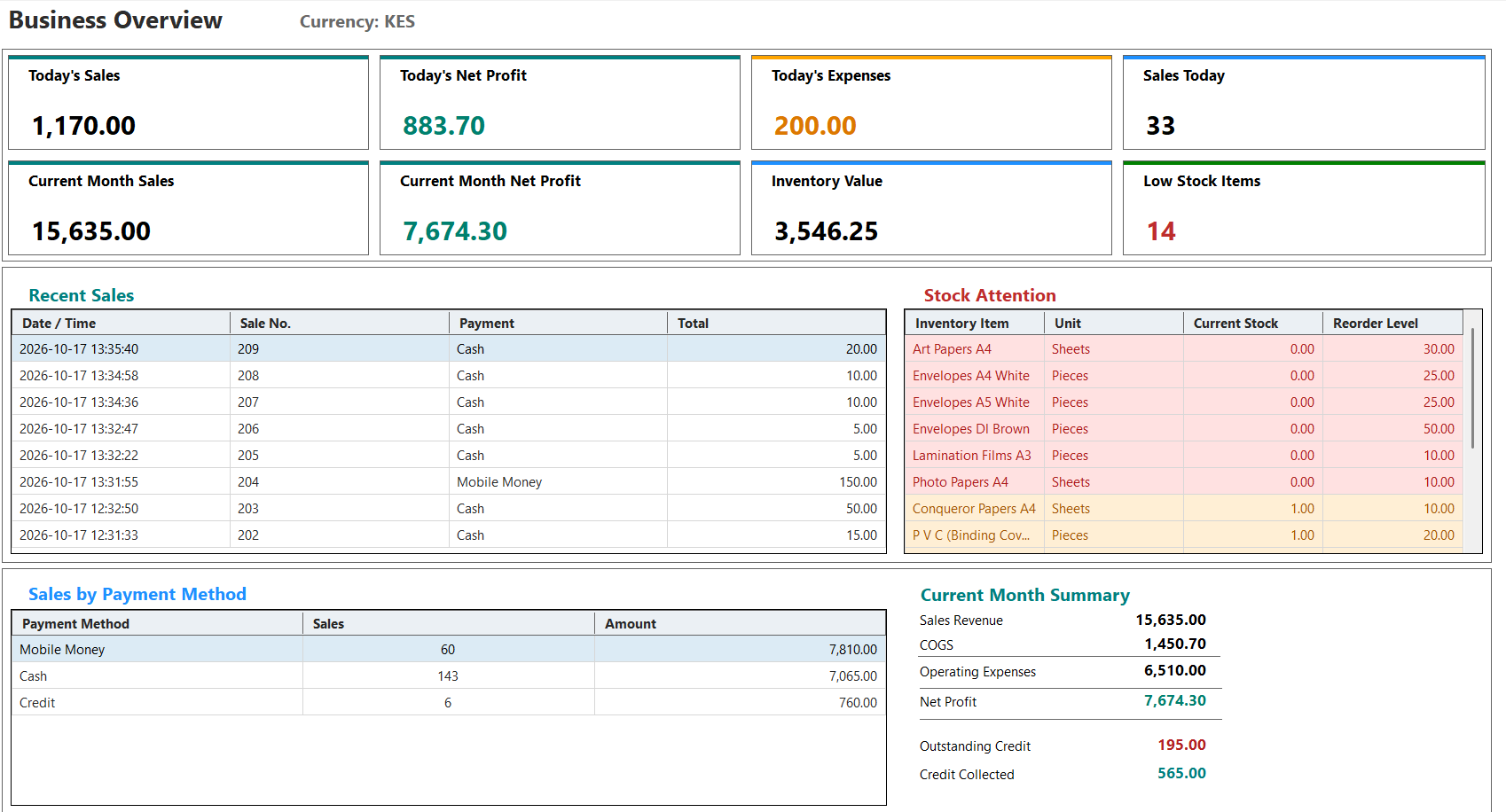
The Business Overview Dashboard provides a clear picture of daily sales, net profit, operating expenses, inventory value, low-stock alerts, payment methods and monthly financial performance.
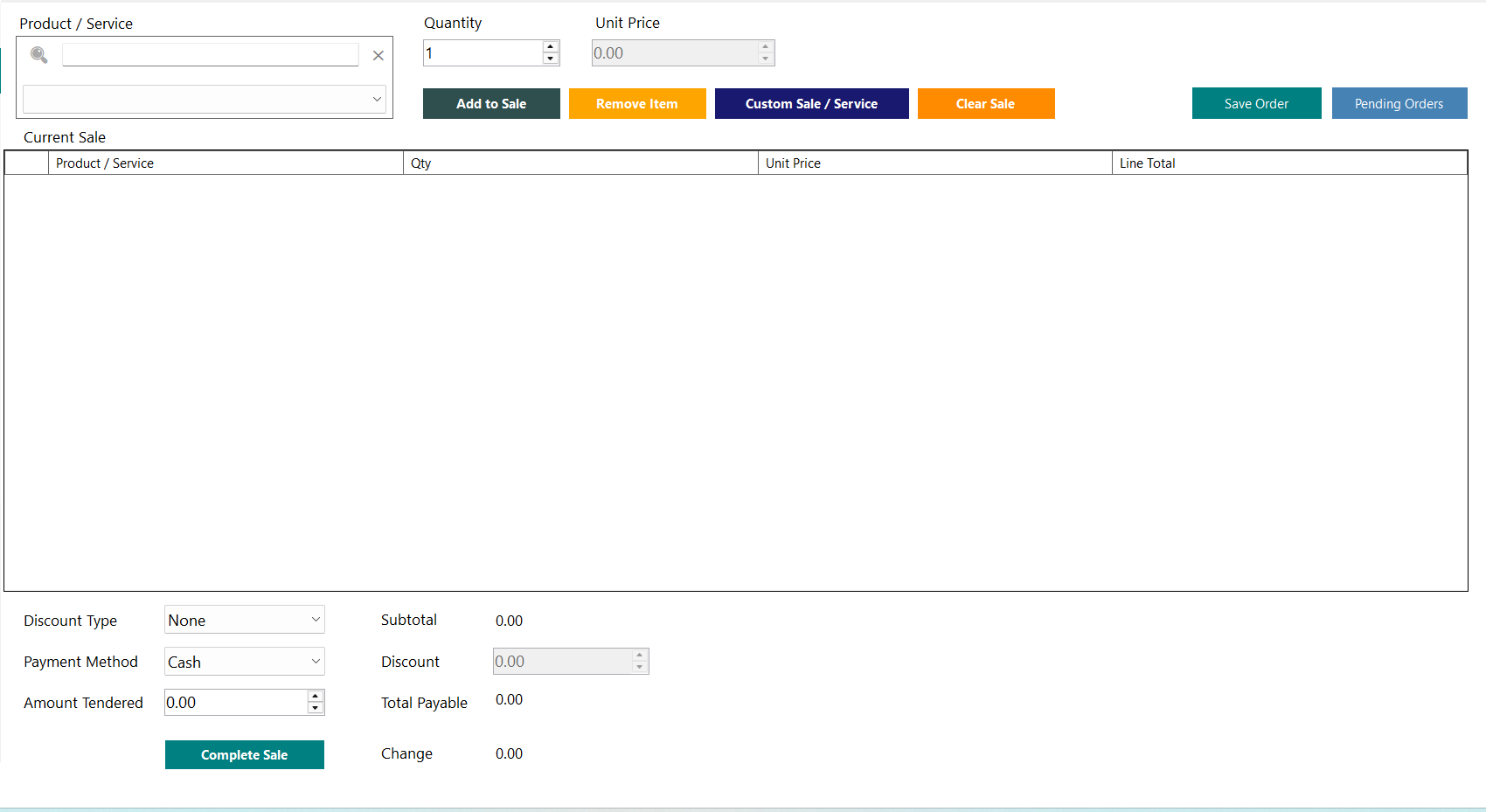
The Sales Management interface allows businesses to select products, enter quantities, process customer purchases and complete transactions using different payment methods. GichoSquareDesk supports split payments, customer credit sales, receipt generation and sales transaction management.
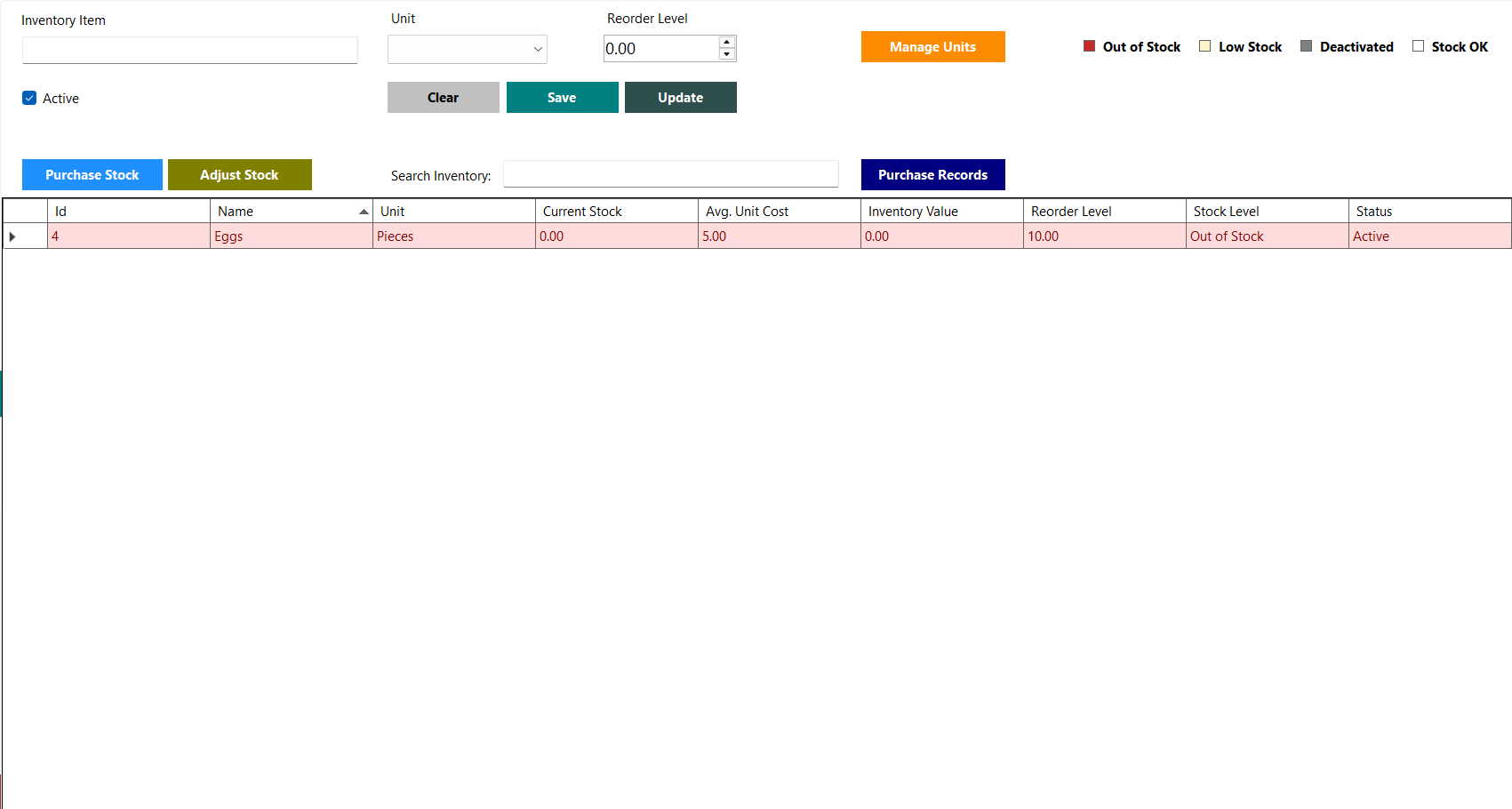
The Inventory Management interface helps businesses maintain accurate product records, monitor stock quantities, track inventory value and identify products running low on stock. Businesses can manage inventory items, record stock purchases, monitor stock movements and maintain better control over their available products.
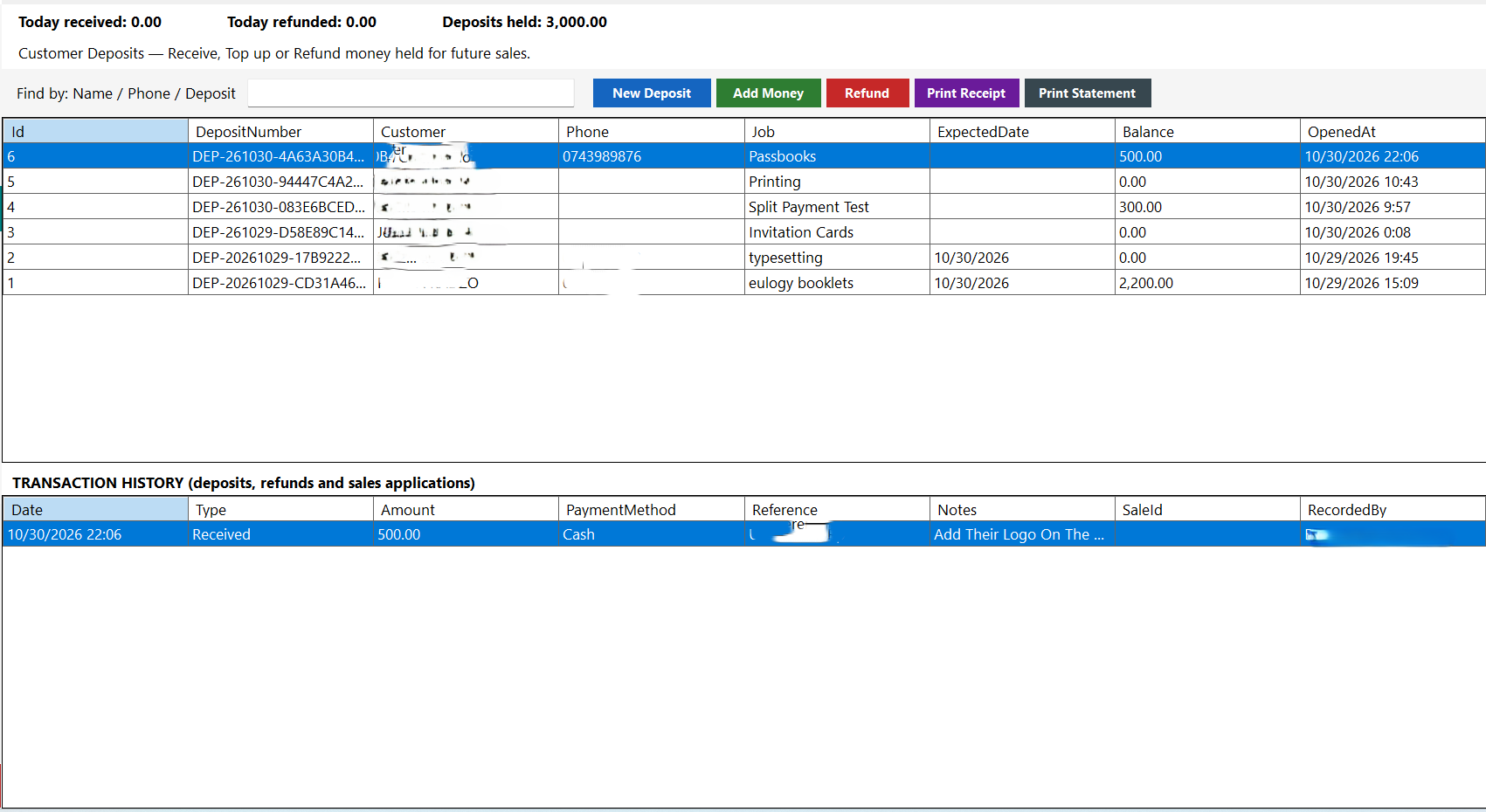
The Customer Deposits interface allows businesses to record advance payments received from customers and manage their available deposit balances. Businesses can create new deposits, add money to existing deposits, process refunds and apply customer deposits towards sales transactions. The system maintains deposit transaction records to support accurate tracking and accountability.
30-Day Free Trial & Software Activation
Try GichoSquareDesk Before Activation
GichoSquareDesk includes a 30-day free trial, allowing businesses to explore the software and evaluate its suitability for their daily operations before activation.
During the trial period, users can become familiar with sales processing, inventory management, customer accounts, reporting and other available features.
Software Activation
After the trial period expires, software activation is required to continue using GichoSquareDesk.
For activation assistance, licensing information or technical support, contact Gicho Square Enterprise.
Enquire About ActivationDownload GichoSquareDesk
GichoSquareDesk for Windows
Version 1.5.6
Smart Point of Sale and Business Management Software for small and medium-sized businesses.
Supported Platform: Windows desktop computers.
Installation: Download the GichoSquareDesk installer, open the downloaded file and follow the on-screen installation instructions.
Single or Multiple Computers: GichoSquareDesk can operate on one computer or across multiple computers connected through a Local Area Network (LAN). Multi-computer installations require SERVER and CLIENT configuration.
Getting Started: Consult the GichoSquareDesk User Manual for guidance on using the application. Installation and configuration assistance is also available from Gicho Square Enterprise.
Download for Windows Open User ManualSupport
Gicho Square Enterprise
For installation assistance, product information or technical support, contact us.
Email: support@gichosquare.com
Phone: +254 720 579 517 / +254 725 887 418