
← Back to Gicho Square Enterprise
Gicho Square SLA Books
Savings and Lending Association Management Software
Manage members, savings, loans, collections, withdrawals, fines, penalties, Share-Out and financial records in one system, with built-in backup and recovery protection.
Current Version: 5.2.7
Download for Windows Open User ManualGicho Square SLA Books Mobile Access
Already using Gicho Square SLA Books? Members and administrators can securely view synchronized SLA information from an Android device.
Download Mobile Access for AndroidCompanion app: Mobile Access provides read-only access to synchronized SLA information. SLA management and financial transactions remain in the Gicho Square SLA Books Windows application.
Key Features
Member Management
Maintain member records and manage membership information from one system.
Savings & Collections
Record savings, loan repayments, applicable fees, fines and penalties.
Loan Management
Manage Share Loans and Jamii Loans with built-in calculations and controls.
Financial Records
Review Cash Flow, member financial positions and other financial information.
Share-Out Processing
Manage year-end Share-Out processing using financial records maintained in the application.
Backup & Recovery
Protect group records with local backups, Remote Backup, database diagnostics and recovery tools, including Remote Recovery when moving to a replacement computer.
Remote Backup & Recovery
Gicho Square SLA Books can protect your SLA data using Remote Backup in addition to local backups.
When Remote Backup is configured, a Backup Recovery Key is provided for securely recovering the backup account and available SLA data if the computer is lost, damaged or replaced.
Remote Recovery is available from the Login screen and uses the email address associated with the backup account together with its Backup Recovery Key.
A replacement computer requires its own valid Gicho Square SLA Books licence before Remote Recovery can be completed.
Important: Keep the Backup Recovery Key in a safe place outside the computer running Gicho Square SLA Books.
See Gicho Square SLA Books in Action
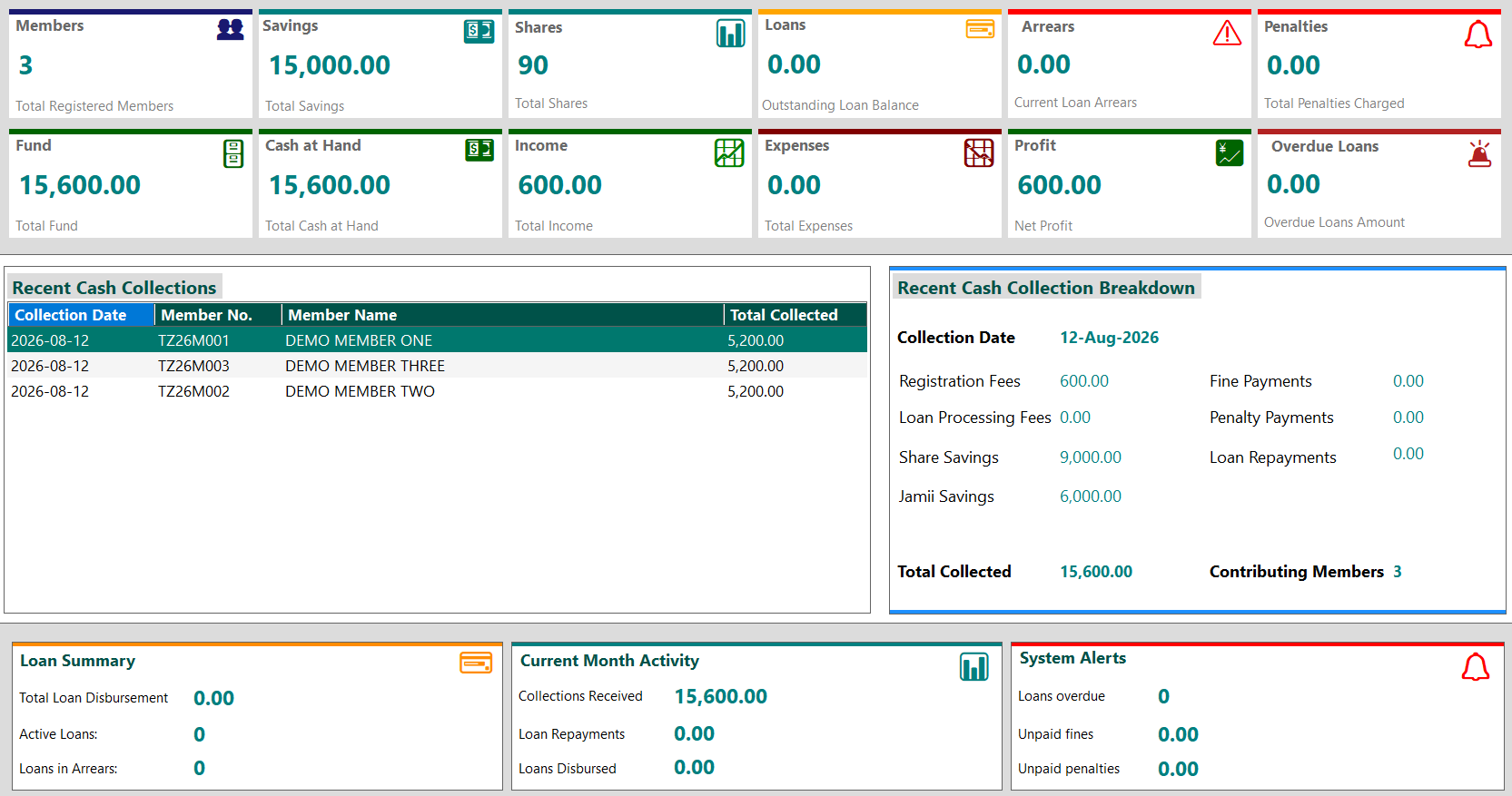
The main Dashboard provides a clear overview of members, savings, loans, cash position, income, expenses, alerts and recent financial activity.
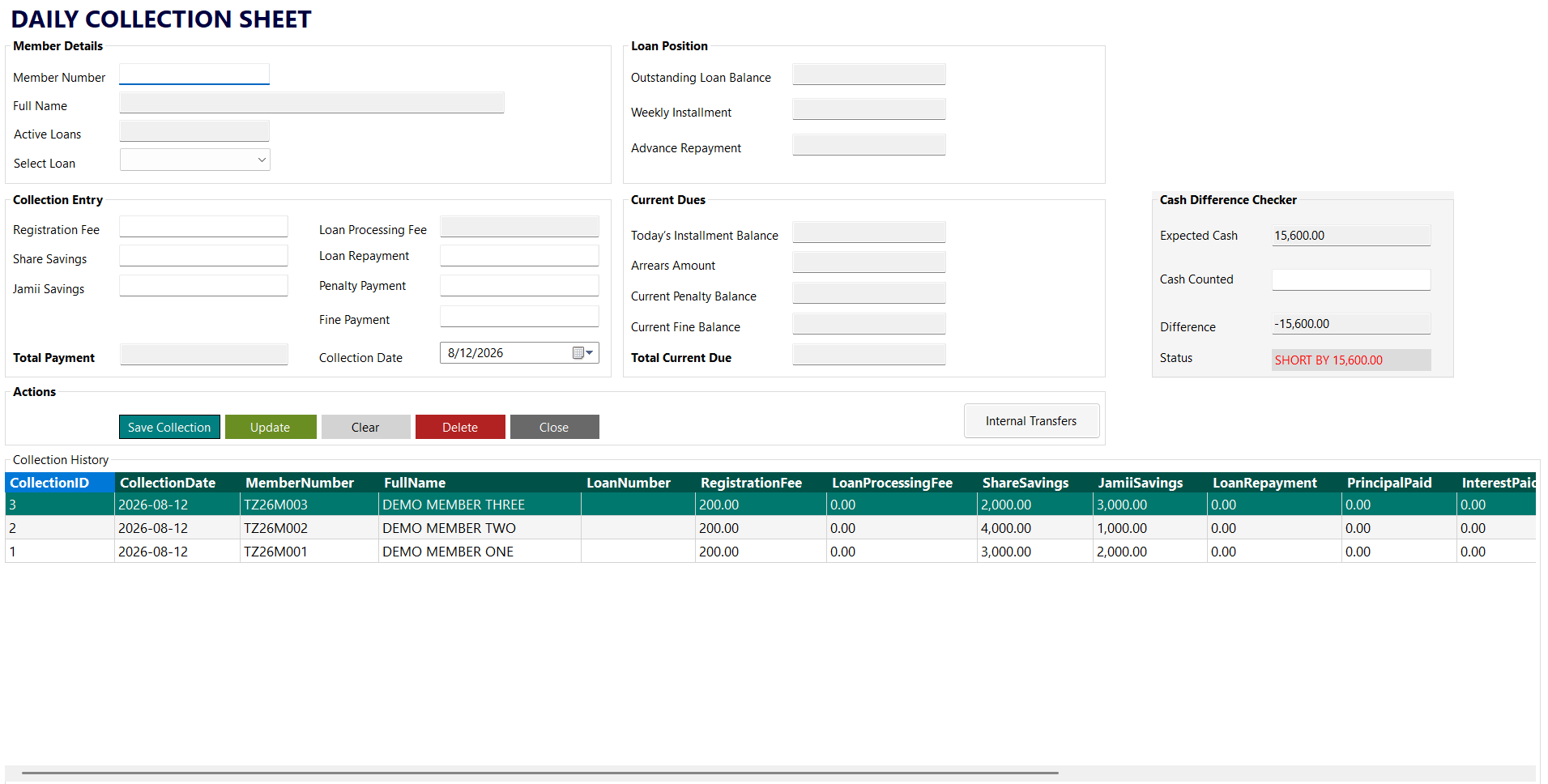
The Collections workflow brings member savings, loan repayments, fines, penalties and applicable fees together in one transaction process.
Download
Gicho Square SLA Books for Windows
Version 5.2.7
Full desktop application for managing your Savings and Lending Association.
Download for Windows Open User ManualGicho Square SLA Books Mobile Access for Android
Version 1.0
Companion app for SLA members and administrators to securely view synchronized SLA information. SLA management and financial transactions remain in the Windows application.
Download Mobile Access for AndroidAndroid installation package (APK).
Trial & Activation
Gicho Square SLA Books can be used in trial mode before activation. The application displays the remaining trial period on the Dashboard.
Each activated installation is licensed to the computer on which it is activated. The licence does not expire.
When you are ready to activate the application, open the Activate screen. Activation can be completed using an activation code or through the available M-PESA activation option.
If online M-PESA activation is temporarily unavailable, the application will display instructions on the alternative activation process.
If you replace your computer, the replacement computer requires its own valid licence. Customers using Remote Backup can then use Remote Recovery to restore available SLA data to the replacement computer.